The Aesthetics of Log Collection (1): The Silent Outcry, Mastering the Art of Syslog
Mastering the principles of Log Ingestion and the technical depth of Syslog for SecOps excellence.
Regardless of whether a dedicated security department exists or if it’s driven by compliance, debating the necessity of log collection in a modern IT environment is no longer productive. Log collection has already established itself as the de facto standard in building security systems and a fundamental pillar of infrastructure.
However, through my collaborations with numerous SecOps analysts in the field, I’ve noticed a common gap: surprisingly few engineers deeply understand the underlying mechanism of how logs actually reach us—Log Ingestion.
In an era where collection is often automated with a few clicks following a vendor guide, the caliber of a true expert is revealed in the ability to fine-tune the entire process—from ingestion to field mapping and normalization—as if tuning a precision instrument. Only by mastering the principles of data flow can one instinctively pinpoint the exact failure point during troubleshooting.
Drawing from my experience navigating diverse environments as a SIEM engineer, I am launching a series on optimal collection methodologies by log type. Our first journey begins with the most fundamental yet profound protocol: Syslog.
The Essence of Data: What We Must Watch
Before diving into technical details, we must define ‘what’ to collect. Log collection for security purposes is fundamentally rooted in Access Logs and Audit Logs. While system errors and process logs are valuable, establishing these two as the core focus is the strategic starting point when communicating with non-experts or reporting to stakeholders.
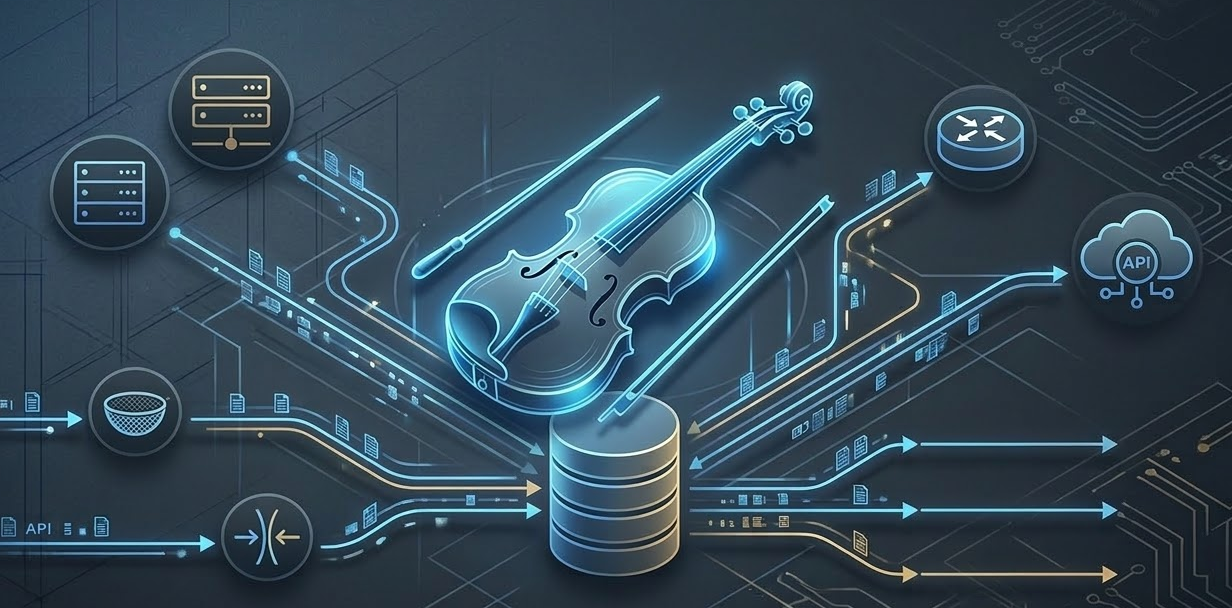
Traditional system logs are delivered to external collectors via the syslog daemon. This is a universal method applicable to general servers as well as network appliances. However, for systems with specific format constraints, dedicated agents are used, while API-based ingestion has become the mainstream approach for modern Cloud/SaaS environments.
Syslog: Three Identities Behind the Term
In the field, the term ‘Syslog’ is often used interchangeably to mean three different things. Distinguishing these concepts is the first step toward engineering mastery.
- Source Data: The raw data generated by internal system processes or daemons. Typically located in
/var/log/, it is distinct from application logs. - Forwarder: The role responsible for sending specific logs externally based on the Severity and Destination defined in the configuration files (
.conf). - Collector: The server that receives and processes the transmitted data. This is where an engineer’s design capability truly shines.
Strategic Advice for Practitioners: Choosing Severity and Protocol
From a practical standpoint, I want to emphasize two key points:
1. Ensure coverage up to ‘Informational (Level 6)’
Arguments are often made to collect only up to Critical or Error levels to save on storage costs and DB load. However, the Access and Audit records that serve as decisive evidence during security incident investigations are predominantly categorized at the Informational level. Optimization should not be achieved by blocking ingestion stages, but through sophisticated tuning that eliminates unnecessary noise (such as certain Warnings).
2. The choice between UDP and TCP is a matter of ‘Data Integrity’
UDP is commonly known to be ‘fast but unreliable.’ However, a more critical issue in log collection is Truncation. Due to MTU (Maximum Transmission Unit) limits, UDP runs the risk of losing data when transmitting long logs—such as those from Next-Gen Firewalls (NGFW) containing detailed URLs or threat detection data.
Conversely, UDP can be efficient for short, repetitive data like DNS logs. Furthermore, in high-security environments, one should consider the flexibility of using TLS-based Port 6514 instead of the standard Port 514.
Engineering: Beyond Mere Collection
A seasoned engineer does not stop at simply ‘stacking’ Syslog data. They perform filtering based on hostnames or keywords within real-time data streams and maximize pipeline efficiency by stripping unnecessary fields during the Parsing stage.
In multi-tenant environments, or mid-sized setups where the data flow per customer is below 250 EPS (Events Per Second), a port-based segmentation strategy is highly effective:
- Logically separate Syslog instances into independent directories.
- Assign unique dedicated ports (e.g.,
11514,12514,21514) to ensure independence. - Prevent log mixing and clarify data paths from the ingestion stage.
This allows for flexible troubleshooting, enabling you to restart or modify a specific port instance without interrupting the entire service. Ultimately, this is a clever design choice that maximizes logical isolation while sharing a single resource.
Furthermore, experts can perform “magic” like instantly converting standard Syslog into CEF (Common Event Format) or inserting dynamic URLs into logs that redirect to a security product’s dashboard upon detecting specific events.
Conclusion
The world of log collection is populated by “masters” who maintain system visibility through their own sophisticated logic. In the next post, we will explore how they strategically utilize Agents and APIs as advanced tools in their methodology.
Trademarks & Disclaimer
Trademarks:
- Microsoft, Azure, Sentinel, Windows, and Azure Function Apps are registered trademarks of Microsoft Corporation.
- Palo Alto Networks, Prisma Cloud, and CCF (Cloud Connector Framework) are registered trademarks of Palo Alto Networks, Inc.
- ArcSight and CEF (Common Event Format) are trademarks or registered trademarks of OpenText (formerly Hewlett Packard Enterprise).
- All other product names, logos, and brands mentioned in this post are the property of their respective owners.
Disclaimer: The views and opinions expressed in this post are those of the author and do not necessarily reflect the official policy or position of any featured companies. This content is provided for informational purposes based on hands-on technical experience and does not replace official product documentation.